
House Longevity / Book
Prepaid Red Light booking
How to book your Red Light session
This page is for customers who have already purchased. Red light and HBOT are booked only through the app — by you in the member portal, or by our staff in the app when you call or WhatsApp. Your credit is taken when you book; changes need 24 hours' notice.
Book in four steps
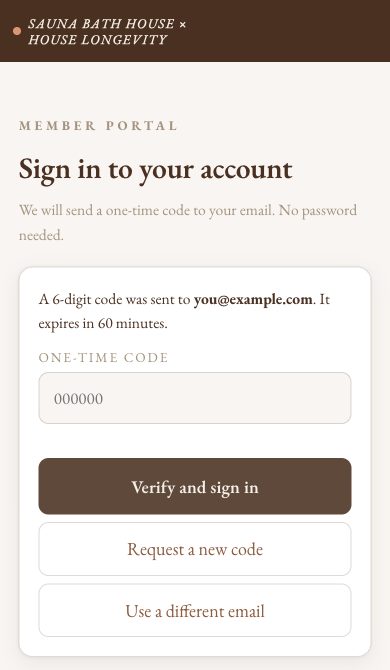
- Sign in to the member portal (saunabathhouse.com/members) with the email you bought with. We email you a 6-digit code; type it in and tap Verify and sign in.
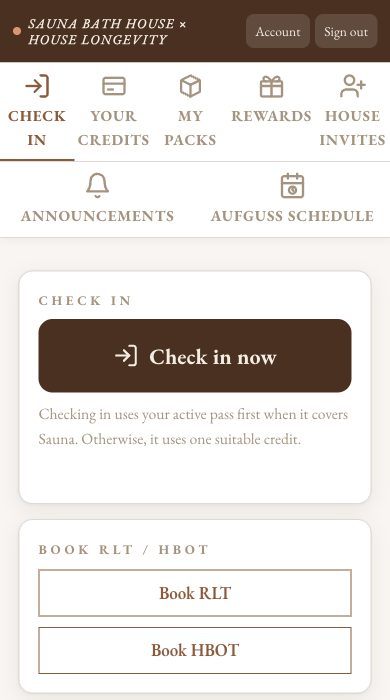
- Tap Book RLT.
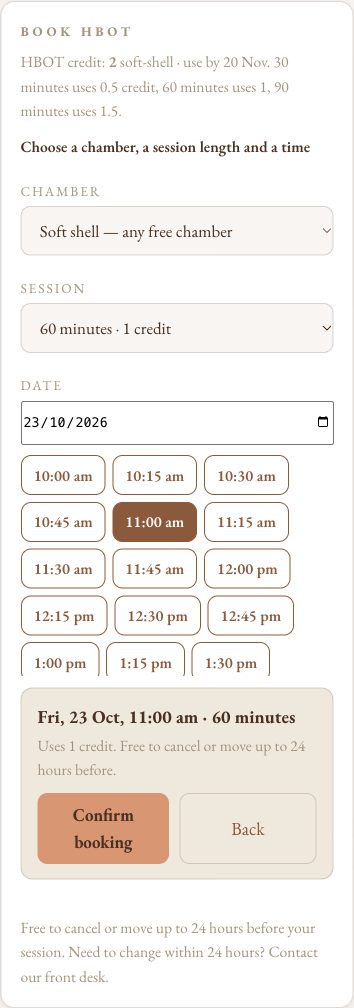
- Pick a day and a free time, then tap Confirm booking.
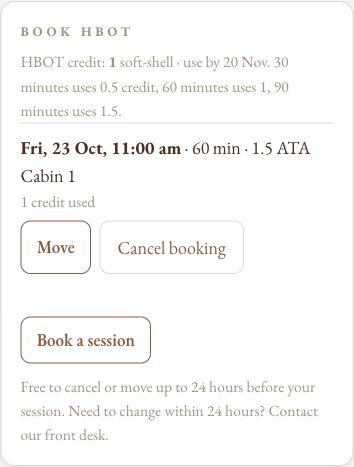
- Done: your booking shows in the portal.
How booking works
- Each 20-minute appointment uses 1 credit.
- Booked before we moved to the member portal? That booking stays as it is.
- No pack yet? Buy one first, or walk in and our front desk will help.
Your pack’s dates
What each red light pack allows:
- Try Everything: MUST activate within 1 month of purchase. Our front desk activates it at your first visit; if not activated by then, it starts automatically on that day. From date of activation: 1 month to use all three sessions. Personal.
- 2-Week RLT First Timer: MUST activate within 1 month of purchase. Our front desk activates it at your first visit; if not activated by then, it starts automatically on that day. From date of activation: 14 days of use. Personal.
- RLT 5-Pack Introduction: No activate-by date. Active from purchase; use within 1 month. Personal.
- RLT 5-Pack: No activate-by date. Active from purchase; valid for 3 months. Personal.
- RLT 10-Pack: No activate-by date. Active from purchase; valid for 6 months. Personal.
- RLT 20-Pack: No activate-by date. Active from purchase; valid for 12 months. Share credits with up to 5 people through Member Login.
- RLT 30-Pack: No activate-by date. Active from purchase; valid for 12 months. Share credits with up to 5 people through Member Login.
- RLT 50-Pack: No activate-by date. Active from purchase; valid for 12 months. Share credits with up to 5 people through Member Login.
- Red Light Therapy (single): No activate-by date. Use within 1 month of purchase. Personal.
- RLT 2-Week Unlimited: MUST activate within 1 month of purchase. Contact our front desk to set your start date; if no date is set by then, it starts automatically on that day. From date of activation: 14 days of use. Personal.
Prices are subject to change at any time without notice. Anything you've already paid for keeps the price you paid.
Before you come
- A 20-minute appointment, about ten minutes of full-body light. Easy to fit before work or after a workout.
- Come as you are. Goggles are provided, and there is no downtime.
Questions? Message House Longevity on WhatsApp 8088 2253.